Gaming Setup Color Schemes: Choosing a Monitor Hugger That Fits
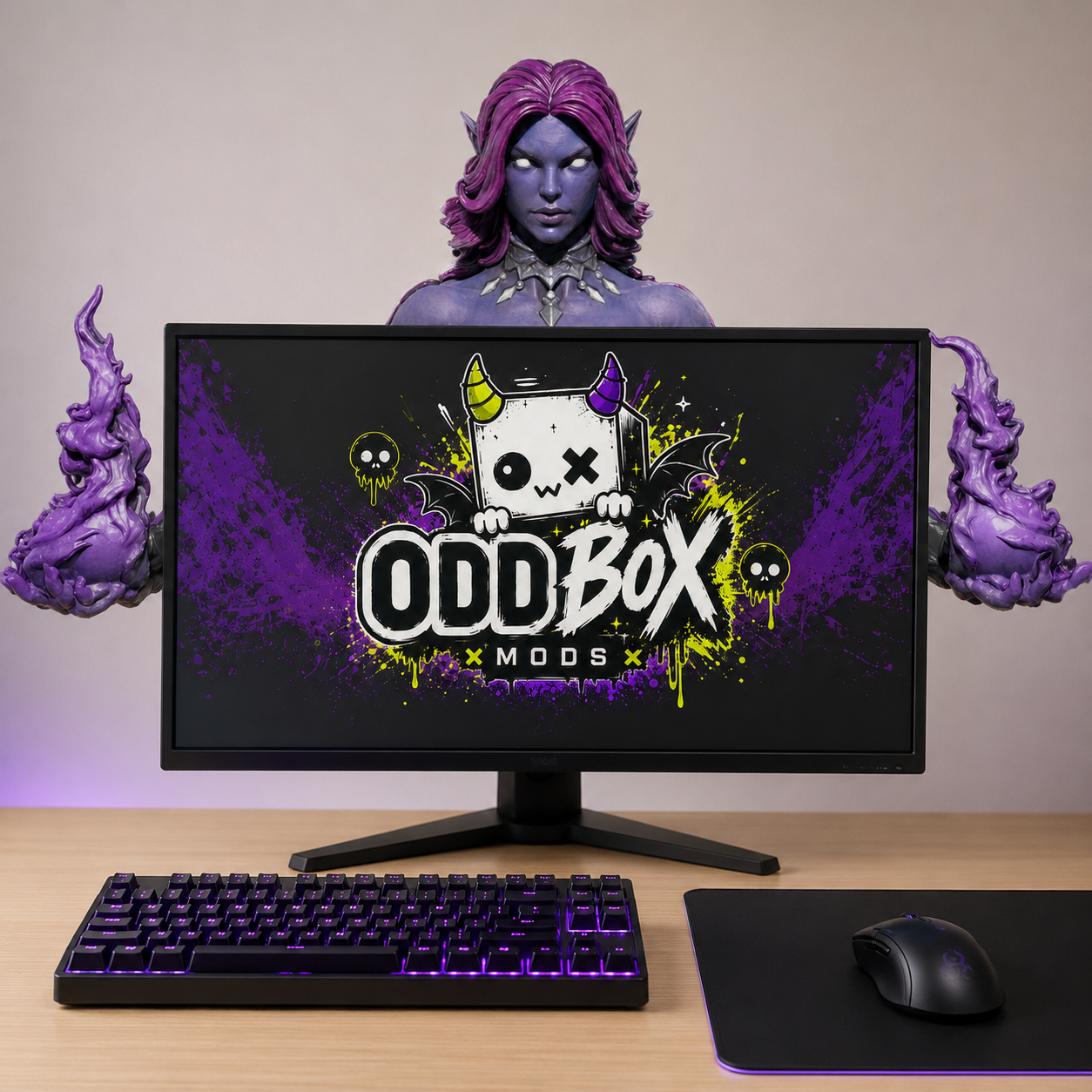
The difference between a setup that looks thrown together and one that looks designed usually comes down to color. Matching RGB, choosing a palette, and picking pieces that agree with each other is what makes a battlestation photograph well and feel like yours. A Monitor Hugger sits right at eye level, front and center on your screen, which makes it one of the most powerful accent pieces in the whole build. Here's how to choose one that pulls your color scheme together instead of fighting it.
Start With One Anchor Color
Great setups rarely use more than two or three colors on purpose. Pick one anchor — the shade your eye lands on first — and build around it. That's usually your RGB lighting, your keycaps, or a mousepad you already love. Once you know your anchor, everything else either matches it, contrasts it, or stays neutral. A Monitor Hugger is the perfect piece to carry that anchor color up onto the screen, where it reads instantly on camera and in person.
Cool Palettes: Purples, Blues, and Blackout Builds
Cool-toned setups are the default aesthetic for a reason: deep purples, icy blues, and murdered-out blacks look premium and calm under LED light. If your lighting leans violet or cyan, a darker, moodier Hugger like Nightshade slots in seamlessly and adds a menacing focal point without clashing. The trick with cool palettes is contrast in texture, not color — a sculpted, detailed piece breaks up all that smooth glass and aluminum so the setup doesn't feel flat.
Warm Palettes: Reds, Ambers, and High-Contrast Setups
Running red RGB, amber accents, or a warm wood desk? Warm palettes are bold, and they want a focal piece that can hold its own. A high-contrast, aggressive Monitor Hugger such as Berserker leans into that energy instead of getting washed out. If your build is mostly neutral with one hot accent color, let the Hugger be where that accent lives — it keeps the pop intentional rather than scattered across a dozen small things.
Pastel and Cozy Setups
Cozy and kawaii setups play by different rules. Bubblegum, mint, and lilac palettes are soft and inviting, and they pair best with pieces that feel playful rather than intimidating. The goal here is a character that adds charm and personality — something that makes the desk feel like a comfort space, not a command center. Balance the softness with one darker neutral (your monitor, a black arm, a dark mat) so the whole thing still has structure.
Let the Hugger Be the Statement Piece
Here's the mistake most people make: they spread personality thinly across a bunch of small trinkets, and nothing stands out. A stronger move is to choose one hero piece and let everything else support it. A Monitor Hugger works well in that role because it lives at eye level and brings shape, texture, and character into the setup. It's the detail people ask about the second they see your screen.
Build Your Palette, Then Pick Your Hugger
Nail down your anchor color, decide whether you're going cool, warm, or cozy, and choose the character whose vibe matches the energy you want your setup to give off. Do that, and your battlestation stops looking like a pile of gear and starts looking like a build with a point of view.
Ready to find the one that fits your palette? Browse the full lineup of Monitor Huggers and see which character matches your setup. Want first access to new designs and drops? Join the Oddbox Mods list and be the first to know what's coming next.
Make Your Setup Yours
Monitor huggers, hand-painted or paint-your-own, made to order in limited slots.
Shop Monitor Huggers ▸